Got Multiple GMB Listings at the Same Address? Here’s What You Need to Know!
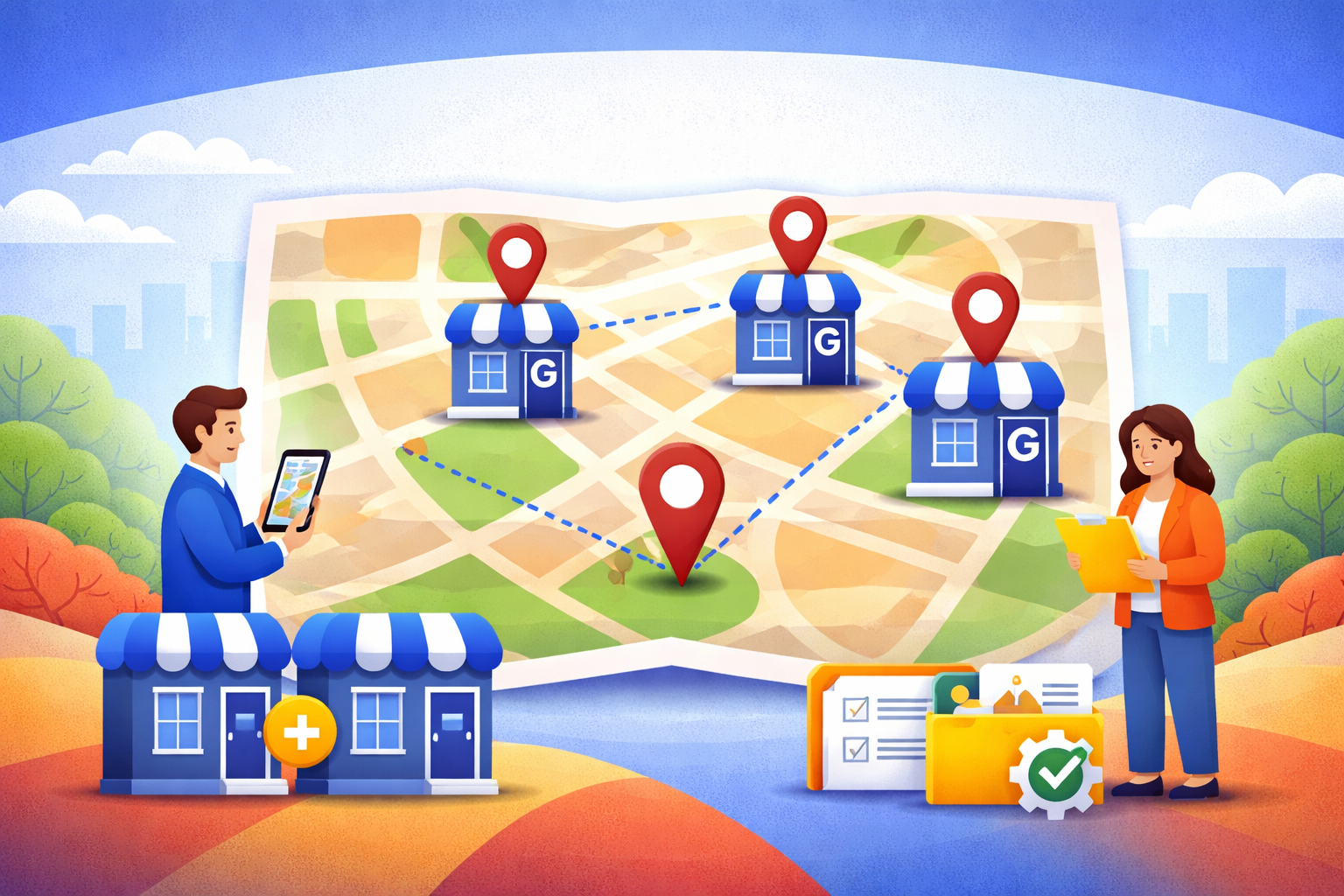
You share an address with another business. Maybe it's a co-working space, a shared office, a retail complex, or you run two different businesses out of the same building. You want to list each one on Google Business Profile. The question is simple: does Google allow this?
The short answer is yes — sometimes. The rules are stricter than most articles admit, and businesses get this wrong constantly. When they do, profiles get suspended, reviews disappear, and rankings vanish.
This guide covers the actual 2026 rules, the specific scenarios where it's allowed (and where it isn't), what happens when you break them, and exactly what to do if Google has already flagged you. Written by the team that has reinstated 6,000+ suspended profiles since 2018, including multi-listing cases where other services failed.
Quick answers:
- Yes, you can have multiple Google Business Profiles at the same address — but only if each business is a legally distinct entity, in a completely different industry (not just a different service), with its own phone, website, and documented registration.
- Two plumbers at the same address? Not allowed.
- A plumber and a dentist at the same address? Allowed.
- Co-working spaces? Allowed with strict conditions.
- Two "departments" of the same business? Not allowed. Only one listing.
- Caught with non-compliant multi-listings? Google's penalties range from filtering to hard suspension to account termination.
Multiple businesses, one address?
The rules Google enforces, why they exist, and the 5-test framework for eligibility.
Why Google won't let you game the system.
Without the different-industries rule, a single plumber could register 5 plumbing companies at the same address and dominate the entire local pack — pushing legitimate competitors out. Google blocks it to keep local search fair.
The 5 tests Google runs before approving multi-listings at one address.
Allowed vs. not allowed at a glance.
- Plumber + House cleaner
- Dentist + Lawyer
- Bakery + Graphic design studio
- Accountant + Real estate agent
- Two plumbers (same industry)
- Landscape construction + design
- Residential + commercial plumbing
- Variations of a handyman service
Does Google allow multiple listings at the same address?
Yes, with four strict conditions:
- Each business must be legally distinct — separately registered with appropriate authorities, with its own tax ID (EIN in the US, GSTIN/PAN in India, ABN in Australia, company number in the UK).
- The businesses must operate in completely different industries — not just different specialties within the same industry. Two plumbers at the same address won't be allowed. A plumber and a house cleaner will.
- Each must have unique contact details — unique phone number (not just a different extension), unique website (not just a different URL under the same domain), unique category in Google's system.
- Each must interact face-to-face with customers (if brick-and-mortar) or have a clearly defined service area (if a service-area business).
Miss any of these conditions and you're eligible for one listing, not multiple — regardless of how many businesses you're actually running at that location.
The quick decision tree: do you qualify for multiple listings?
Walk through these questions in order. The first "no" tells you to stop at one listing.
Q1: Are the businesses legally registered as separate entities?
- No → Only one listing. The other "business" is a service line, not a separate business.
- Yes → Continue.
Q2: Do they operate in completely different industries (not just different services in the same industry)?
- No → Only one listing. Two landscapers won't qualify even under different names. A landscaper and a painter will.
- Yes → Continue.
Q3: Does each business have a unique phone number, website, and designated business category?
- No → Only one listing. Google's filter will catch shared phone numbers or categories and treat the listings as duplicates.
- Yes → Continue.
Q4: Does each business have its own face-to-face customer interaction point at the address (separate entrance, signage, staffing during business hours)?
- No → Only one listing if the setup is shared. Separate entrances and signage are strong signals.
- Yes → Continue.
Q5: Is the address a real, verifiable location (not a PO box, virtual office, or hot-desk-only coworking arrangement)?
- No → Probably ineligible for either business.
- Yes → You qualify for multiple listings.
If you answered "yes" to all five, you're in the small percentage of legitimate multi-listing situations Google actually approves. The rest of this guide covers what to do (and avoid) from here.
5 questions. The first 'no' tells you to stop.
Most multi-listing requests fail because the businesses didn't qualify. Five questions decide whether yours does.
If you answered yes to all five, your multi-listing setup is eligible. The vast majority of two-businesses-at-one-address situations fail at least one question.
The different-industries rule (the one that actually decides eligibility)
This is the rule that determines most eligibility calls, and it's underappreciated by businesses but well-established among GBP specialists: multiple listings at the same address are allowed only when the businesses operate in completely different industries — not just different specialties within the same industry.
Concrete examples:
"Allowed" list (style with green checkmark icons):
- A plumber and a house cleaner (different industries)
A dentist and a lawyer (different industries) - A bakery and a graphic design studio (different industries)
An accountant and a real estate agent (different industries)
"Not allowed" list (style with red X icons):
- A landscape construction company and a landscape design company (same industry, different specialty)
- Two variations of a handyman service (same industry)
- A residential plumber and a commercial plumber (same industry)
- A web design studio and a digital marketing agency (borderline — likely flagged)
Practical test paragraph
The practical test: does the second business feel like it could just be another service page on the first business's website? If yes, you don't qualify for a separate listing. If you'd realistically market the two businesses to completely different audiences through completely different channels, you probably do.
Why Google draws the line here (and why it's fair)
The different-industries rule exists because without it, local search would be quickly gamed.
Think about what a plumber could do if same-industry multi-listings were allowed at a single address. They could register five separate plumbing companies — "ABC Plumbing," "Fast Drain Pros," "24/7 Emergency Plumbing," "Green Valley Plumbers," "Reliable Pipe Services" — all at the same home address. Each gets its own Google Business Profile. Each ranks in the local pack for the same plumbing queries in the same city. Suddenly, a single operator is occupying all 3 map pack slots and pushing every legitimate competitor out of view.
This kind of manipulation was rampant in the early 2010s. Google's filter was built specifically to prevent it. The "different industries" rule isn't arbitrary — it's what keeps local search results diverse and useful for searchers.
When you understand this reasoning, the rule's edges make more sense. Google isn't penalizing you for running multiple businesses. It's preventing single operators from monopolizing category-specific local results. A plumber and a dentist at the same address don't compete for the same searches, so Google has no reason to filter them. Two plumbers at the same address do compete — and Google filters one out to preserve the integrity of the results for searchers.
In our 6,000+ cases of handling multi-listing setups, failure to meet the different-industries bar is the single most common reason for suspension. Businesses assume that "different enough" is enough. Google's filter disagrees — because its job is specifically to catch "different enough" before it becomes "five plumbing companies at one address."
Specific scenarios — breaking down what Google allows
Each sub-block below is an H3 followed by body paragraphs.
Two completely different businesses in a shared office suite (allowed)
A lawyer and an accountant sharing office space at 100 Main Street can both have Google Business Profiles. Each must have its own business license, its own phone number, its own website, and each must meet with customers face-to-face at the location.
Two competing businesses in the same industry (not allowed)
Two personal trainers operating out of the same gym, or two plumbers sharing a shop. Google's filter will treat the listings as near-duplicates and either refuse to verify the second one or suspend one of them after they're live.
Multiple service lines of one business (not allowed — create one listing)
If you run a single plumbing business that does both drain cleaning and water heater installation, you create one Google Business Profile under your business name. Don't create separate listings like "ABC Plumbing — Drain Cleaning" and "ABC Plumbing — Water Heaters." This triggers name-stuffing violations and usually results in suspension.
Individual practitioners in a larger practice (allowed with conditions)
Law firms, medical practices, and real estate agencies often have multiple practitioners at the same address. Each individual lawyer, doctor, or agent can have their own Google Business Profile only if they:
- Operate as a distinct legal practitioner (not employees under the main practice's license)
- Manage their own client roster
- Have their own direct phone line
- Have separate signage or practice space
A law firm with 10 partners at one address can legitimately have 11 listings (the firm + each partner). A single-doctor clinic cannot have a separate listing for "Dr. Jones Family Practice" and "Dr. Jones Pediatric Care" — that's one doctor with two service lines.
Co-working spaces (allowed with very strict conditions)
This is the most frequently abused scenario and the most common cause of suspensions we see. Google allows a listing at a co-working space only if all of these are true:
- Your business has street-level signage — visible from outside the building
- Your business is staffed by your team during the hours listed on the profile (not the co-working space's general reception)
- You have a unique phone number answered by your business, not by the coworking space
- You serve customers face-to-face at the location
- You have a dedicated private office — not just a hot desk or shared workstation
Most co-working arrangements fail at least one of these. If yours does, don't list at the address — your profile will eventually be flagged.
Franchise locations at the same address (rarely allowed)
Multiple franchisees at one address won't get multiple listings unless each franchise operates as a truly independent business — separate corporate entity, separate customer service, separate operations. Eric Patel's Garage Kings franchise case that we handled required this documentation layer to reinstate multiple profiles that had been suspended for the shared-location pattern.
Ghost kitchens and dark kitchens (special rules)
Google added specific 2023 guidelines for virtual food brands operating out of shared commercial kitchens. You can list a ghost kitchen only if:
- Your virtual kitchen has street signage
- You offer pickup to customers at the address (required to show the address publicly)
- Your brand has a distinct website, packaging, and branding separate from other virtual brands at the location
- If you're delivery-only with no pickup, you must hide the address on your profile and operate as a service-area business
Virtual food brands that list a shared commercial kitchen address with no signage or brand differentiation get suspended at high rates.
Seasonal businesses sharing one address (allowed with strict rules)
A Christmas tree farm that operates November–January at the same address as an organic fruit stand that operates June–October can both have listings. Requirements:
- Year-round signage for each business (even during the off-season)
- Each sets and removes GBP hours at the beginning and end of its season
- Each has distinct names, phone numbers, and Google categories
Departments within a business (sometimes allowed)
If a single business has legitimately distinct departments that serve different customers — the classic example is a Chevrolet dealership with a separate Sales Department and Parts Department — you can have separate listings. Each must have:
- A distinct name ("Chevrolet Sales Department" and "Chevrolet Parts Department," not "Chevrolet")
- Distinct phone numbers
- Distinct Google categories
- Separate signage or customer-facing areas
This is the only scenario where shared branding across multiple listings is OK — the department names explicitly acknowledge they're parts of the same business.
Two listings at one address — what Google says yes to (and what it doesn't).
Eight real scenarios from our 6,000+ cases. Each gets a clear verdict — allowed, or not.
The pattern: same industry = no. Different industries = maybe — if everything else checks out.
Different industries is the single most overlooked rule. Two of your friend's businesses at one address don't automatically qualify.
The SAB edge case: what's different if you don't have a storefront
Service-area businesses — plumbers, electricians, cleaners, landscapers, mobile mechanics, pet groomers, any business that goes to the customer rather than customers coming to the business — live in a grey area of Google's multi-listing rules. Google treats SABs differently from brick-and-mortar businesses, and the multi-listing rules for SABs are stricter. Here's what you need to know specifically if you run SABs.
The core SAB multi-listing rules
- SABs are expected to hide their address from public view. If a customer can't walk in, Google doesn't want the address shown. You set a service area (a region, ZIP code list, or radius) and hide the actual address.
- Two SABs at the same address get the strictest version of the "different industries" test. Brick-and-mortar businesses have a physical separation that Google can verify — separate entrances, separate signage, separate customer-facing space. SABs don't have that. So Google is more skeptical of two SABs sharing an address.
- Shared phone numbers are an automatic disqualifier. This is true for all businesses but especially for SABs, where the phone is effectively the storefront. Two SABs at the same address must have genuinely distinct phone numbers.
- Service areas can overlap but shouldn't be identical. If two SABs at the same address have the exact same service area definition (same cities, same radius), Google's filter reads that as the same business operating under two names.
What this means in practice
Allowed examples:
- A plumber and a house cleaner who both work out of a shared home office, each with their own phone, website, business registration, and service area definition. Different industries, different categories, different customer intent.
- A mobile mechanic and a mobile pet groomer operating from the same residence. Totally different industries.
- An accountant and a wedding photographer who share an office but serve unrelated audiences.
Not allowed examples:
- Two residential plumbers (same industry, regardless of specialty)
- A commercial cleaner and a residential cleaner (same industry)
- Two landscapers with different brand names
- Two mobile detailers
The SAB trap: "two service lines disguised as two businesses"
The most common SAB multi-listing suspension we see: a business owner runs a landscaping operation. They also do hardscaping (patios, retaining walls). The two services have different price points, different customer acquisition channels, different seasonal patterns. The owner thinks of them as "two businesses" and creates two listings.
Google doesn't see it that way. Landscaping and hardscaping are both in the landscaping industry. If the same owner, same phone, same equipment, same vehicles, same crew performs both, it's one business with two service lines — not two businesses.
The fix: one listing under the parent business name, with both services added as categories. No multi-listing.
When you legitimately have two SABs
If you're a genuine owner of two legally distinct SABs at one address (separately incorporated, separately taxed, separately operated, separately staffed, different industries), here's how to make the multi-listing setup survive Google's filter:
- Distinct phone numbers (non-negotiable — these must be two separate numbers, not just different extensions)
- Distinct websites (not the same site with a different page)
- Distinct Google categories (no overlap on primary category)
- Service areas that are visibly different — even if the same geographic region, define them differently (e.g., one by ZIP code list, one by city names)
- Separate branding across all your online presence — social media, citations, reviews
Most SAB multi-listing setups we're asked to reinstate failed one or more of these. The first thing we audit on an SAB reinstatement case is whether the "two businesses" are structurally distinct or if they're really one business running two service lines.
Three myths that get profiles suspended
Myth 1:
"Different suite numbers will let me get multiple listings at one building."
No. Google doesn't recognize suite numbers as separate locations, whether legitimate or fabricated. Assigning different fake suite numbers to make a single location look like multiple is a verified suspension trigger.
Myth 2:
"I can add location keywords to my business name to rank for more queries."
No. Google's guidelines explicitly prohibit name-stuffing. "ABC Plumbing" is allowed. "ABC Plumbing — Emergency 24/7 Drain Specialists Dallas" is a violation and will trigger suspension. The safe rule: use your legally registered name, exactly as it appears on your signage and incorporation documents.
Myth 3:
"A virtual office or UPS store address will work if I never go there."
No. Virtual offices, PO boxes, mailbox addresses, and remote mail services are explicitly prohibited as primary business addresses. Google's filter actively detects these and suspends listings.
How to name your multiple businesses at one address
Naming is where legitimate multi-listing setups still get filtered. Google's filter algorithm compares listings at the same address — similar names at shared addresses get down-ranked or removed through what's called the Possum filter (more on that below). The safe naming rules:
Rule 1: If one business is contained inside another (like a McDonald's inside a Walmart), the GBP names are "McDonald's" and "Walmart" — not "McDonald's at Walmart" or "Walmart with McDonald's."
Rule 2: If two separate brands share the same location (like a Taco Bell and a Dunkin' Donuts side by side), they should NOT combine into a single listing "Taco Bell & Dunkin' Donuts." Either operate as two independent listings (one per brand) or as a single listing with one brand name.
Rule 3: If multiple listings represent distinct departments, include the department name (e.g., "Chevrolet Sales Department," "Chevrolet Parts Department"). Share the core brand; distinguish by department.
Rule 4: If a business sells another brand's products (like a Firestone Tires dealer), don't include the underlying brand in your GBP name unless you're a fully authorized exclusive seller of that brand (a "franchisee"). Acceptable: "TCC Verizon Wireless Premium Retailer." Not acceptable: "ABC Tire Shop — Firestone Tires."
Rule 5:
If an owner is starting multiple new businesses at the same address, give them distinct names. "Rainbow Pottery" and "Rainbow Pet Grooming" at the same address will be filtered for the shared brand root — the filter sees "Rainbow" and treats them as related entities.
The Possum filter: Google's quiet suppressor of co-located businesses
Even when you're fully compliant — two legitimately different businesses, all eligibility criteria met — you might find that only one of your listings appears in Google Maps. The other is "there" in the sense that it exists and is verified, but it doesn't rank. Your competitor (or your own second listing) is invisible at the default zoom level.
This is the Possum filter — Google's algorithm that prevents "too similar" businesses at close proximity from both ranking at the top of local results. It rolled out in September 2016 and has been tightened several times since.
When the Possum filter hits you:
- Your listing shows "missing" from Maps at default zoom
- If you zoom in on the map, the listing reappears
- Your competitor (or your own second listing) is ranking in the spot you expected
Why it's triggered:
- Same address as another business in the same category
- Same phone number as another business
- Share major keywords in the business name
How to address it:
- - Review your business category — make sure each listing has genuinely distinct categories
- Use different primary categories where possible
- Audit whether your listings look TOO similar to Google's entity detection
- If you and a competitor share a building and compete for the same keywords, sometimes the only practical solution is moving one of the operations to a different address
What Google does when it catches non-compliant multi-listings
Google's response to non-compliant multi-listings escalates. Here's the progression we see in our casework:
Level 1 — Filter suppression
Your listings exist and are verified, but one or more is filtered out of Maps at default zoom. Google doesn't notify you. You just notice a traffic drop that doesn't map to any known change.
Level 2 — Soft suspension
One or more listings stays visible but can't be edited. An "ID requested" banner appears. Google asks for documentation to prove you're a legitimate separate entity. If you can't provide it (because you actually aren't), the listing is suspended within 30–60 days.
Level 3 — Hard suspension
One or more listings disappears entirely from Maps and Search. Reviews associated with the suspended listing are hidden. Your profile shows "suspended" in your dashboard. You cannot appeal without addressing the underlying compliance issue first.
Level 4 — Account-level suspension:
Multiple suspensions or repeated non-compliance patterns trigger account-level action. Google suspends not just the listings but the Google account used to manage them. This is the worst outcome — recovery is much harder.
Level 5 — Permanent removal:
Severe or repeated spam patterns lead to permanent removal. At this point, even an expert reinstatement service has limited ability to help.
If Google already flagged your multi-listing setup — what to do
Google's response to non-compliant multi-listings escalates. Here's the progression we see in our casework:
Step 1:
Audit every listing honestly. Walk through the decision tree in Section 2 for each of your profiles. For each, answer the 5 questions. Any listing that fails any question is non-compliant and will either need to be modified to become compliant or removed.
Step 2 — Soft suspension
Decide: consolidate or document. For each non-compliant listing:
- If the business isn't truly distinct (same industry, same owner, same customers): merge it into your main listing. Don't try to keep both.
- If the business IS truly distinct but you're missing documentation (no separate registration, no unique phone, no unique website): build the missing documentation before Google revisits your case.
Step 3:
Merge listings properly. If you decided to merge, use Google's official duplicate resolution workflow:
- Sign into your Business Profile manager
- Select the duplicate listing
- Go to Settings → Remove this profile
- Select "Duplicate of another listing I own"
- Follow the prompts
Don't just delete duplicates — use the merge workflow so reviews and history transfer to the retained listing when possible.
Step 4:
Prepare for reinstatement if any listings are suspended. Gather the documentation proving each surviving listing is a distinct business:
- Business registration certificates (LLC formation, incorporation, DBA)
- Business license or permit
- Tax ID letter (EIN for US, GSTIN/PAN for India, etc.)
- Utility bill at the address
- Photos of permanent signage
- Lease agreement for the address
Step 5:
File the reinstatement request. Through Google Business Profile's reinstatement form. Explain the corrections you've made. Attach your documentation.
Step 6:
If reinstatement is denied or complex, escalate. This is where our service fits. We've handled multi-listing recovery cases that had been denied by Google directly, including multi-location franchise setups (Eric Patel's Garage Kings), multi-location chains (Local Garage Doors with 6 suspended listings reinstated in a week), and agency-managed multi-profile disputes. Pay only when the reinstatement lands.
Real multi-listing recovery cases
Local Garage Doors (6 locations, same parent company)
Six Google Business Profile locations suspended in a single week. The pattern was category overlap — all six profiles used similar categories and similar brand naming, triggering Google's duplicate detection despite the locations being physically distinct. We restructured the profile naming, diversified primary categories where possible, documented each location as an independent unit, and filed six concurrent reinstatement requests. All six back online within about a week.
From the client's Google review: "I own a garage door company and I had 6 GMB locations get suspended and Jaipur SEO was able to get them all reinstated within about a week."
Eric Patel's Garage Kings (franchise case)
A franchisee operating multiple Garage Kings locations at interconnected physical spots. Suspension hit one of them after a related location was flagged for shared contact info. The challenge: proving the franchised units operated as legitimately independent businesses under the Garage Kings brand. We documented each franchise as a distinct legal entity with separate tax records, then filed the appeal. Reinstated.
From the review: "We had been struggling for months to get our Google Business Profile reinstated for one of our Garage Kings locations."
Rick Davis: Two profiles after address change
"We struggled for months to get two Google Business Profiles reinstated with no luck. Of course, this all happened just because we changed our business address. They quickly got our primary profile up and running, and they persistently worked a bit longer to get our secondary profile restored."
Same-address multi-listing issues often cascade from address changes. When both of a business's locations shared an address-change history, Google's filter flagged both. We handled each case in sequence with proof-of-occupancy documentation.
How to stay compliant as a multi-listing business
Tip 1:
Use legally distinct names, phones, and websites from day one. Don't try to retrofit separateness after the listings are already flagged. Set up each business with separate incorporation, separate bank accounts, separate domains, and separate phone numbers before creating the GBP.
Tip 2
Use different primary categories where possible. Even if both businesses legitimately share some categories, choose distinct primary categories for each. Diversity signals to Google that the entities are different.
Tip 3:
Audit quarterly. Changes happen — a new phone number gets ported to one business, a domain lapses, you add a new service line. Review each GBP every 3 months to catch drift before it becomes suspension-worthy.
Tip 4:
Keep visual distinctness at the physical location. Separate signage, separate entrances where possible, separate branded spaces inside a shared building. Google uses Street View and user-submitted photos to verify.
Tip 5:
Use a company-owned email as the Primary Owner, not a personal one. Reduces the chance of a former employee or agency ending up with ownership of one listing and triggering an ownership dispute that cascades into suspension.
Tip 6:
If you're running 5+ locations, use
our GBP management service. Active monthly monitoring catches compliance drift early — $99–$199/month, free reinstatement if a profile ever gets suspended.
Frequently asked questions
Can I have two Google Business Profiles at the same address if they're in different industries?
Yes. Multi-listings at the same address are allowed for businesses in completely different industries — for example, a plumber and a house cleaner, or a dentist and a lawyer. Two businesses in the same industry won't qualify.
Can two businesses share a phone number?
No. Each listing needs its own unique phone number. Shared numbers trigger Google's duplicate detection and will get one or both listings filtered or suspended.
Can I use different suite numbers to make two listings look like separate locations?
No. Google doesn't recognize suite numbers as separate locations. Assigning fake suite numbers to make one address look like multiple is a verified trigger for hard suspension.
Can I list my business at a co-working space?
Only if your business has street-level signage, staffed business hours at the location, its own phone number answered by your team (not reception), and face-to-face customer interaction. If any of these are missing, don't list at the coworking address — you'll eventually be suspended.
I have a plumbing business that does both residential and commercial work. Can I have two listings?
No. That's two service lines of one business, not two businesses. Create one Google Business Profile under your business name and add both service categories.
What if I have multiple franchises at the same address?
Multiple franchise locations at one address rarely qualify for multiple listings unless each franchise operates as a truly independent legal entity — separate corporation, separate customer service, separate operations, separate phone numbers. Most franchise multi-listings get suspended.
I'm a lawyer in a firm with 10 other lawyers. Can I have my own listing?
Yes, if you operate as an independent practitioner — you manage your own client roster, have your own phone number, and are a legally distinct practitioner (not just an associate under the firm's license). Most individual lawyers in large firms qualify for their own listing.
How is Google going to know my listings are non-compliant?
Several ways: automated detection of shared addresses, phone numbers, or categories; user reports from customers or competitors; occasional manual audits of geographic clusters; and the Possum filter's automatic application of ranking suppression before any human review.
What if I deleted one of my duplicate listings? Do I still need to worry?
Possibly. Google keeps a history of deleted listings. If the remaining listing shares signals with the deleted one (same phone, same website, same account that managed both), Google may still apply filtering to the surviving listing for a period after deletion. Time usually resolves this if you're now compliant.
Can I move one of my businesses to a different address to comply?
Yes. Relocating one of the operations to a different verifiable address is a legitimate solution — especially if the two businesses really are distinct enterprises. Google will accept the new address after the standard verification process for that new location.
Does the Possum filter affect only my business or my competitors too?
Either can be affected. The filter suppresses whichever listing Google deems less relevant at default map zoom. If your competitor ranks higher, you get filtered. If you do, they get filtered. Possum is about diversity in local results, not favoritism.
Will my reviews stay intact if I merge duplicate listings?
Partially. Google's merge workflow attempts to transfer reviews from the merged-away listing to the retained listing. In practice, some reviews transfer cleanly, some are lost, and some appear as "reviews from related listings" rather than native reviews on the merged profile. Better to never create duplicates in the first place than to rely on merge fidelity.
My GBP was suspended for multi-listing violations. Can you help reinstate it?
Yes. Multi-listing suspension is one of the most common patterns we handle. The key is documenting that each remaining listing is a distinct business — our audit process identifies what Google flagged and what evidence we need to submit. Pay only when the reinstatement lands.
What about ghost kitchens or virtual food brands sharing one kitchen?
Google added specific 2023 guidelines for virtual food operations. You can list if: the kitchen has street signage, you offer pickup at the address, your brand has distinct branding (website, packaging, operations) separate from other virtual brands at the location. Delivery-only brands must hide the address and operate as service-area businesses.
Can I use your GBP management service to prevent multi-listing problems?
Yes. Our GBP management service includes compliance monitoring for multi-location businesses. $99–$199/month. Every plan includes free reinstatement if Google suspends your profile while under management.
What if my situation is edge-case and doesn't fit any of these scenarios?
Book a free consultation call. We've seen 6,000+ GBP cases across every possible multi-location setup — franchise chains, healthcare practices, professional services, food service, retail. We'll tell you whether your setup is compliant, borderline, or likely to be suspended, and what to do about it.
Dealing with a multi-listing suspension? Or just want to set it up right?
If you're already suspended or filtered for multi-listing non-compliance, book a free consultation call. We audit your case live, tell you whether the setup can be made compliant, and handle the reinstatement end-to-end. Pay only when your listings are restored.
If you're setting up multiple listings from scratch and want to make sure you get it right, the same consultation call covers compliance setup. Better to spend 30 minutes up front than to fight a suspension six months in.
6,000+ Google Business Profile cases handled · 99% reinstatement success rate · Pay after success · 350+ five-star Google reviews
Written by Abhi Khandelwal, Founder & SEO Consultant at Reinstatement Ninja.
8 years handling Google Business Profile compliance, multi-listing recovery, and suspension reinstatement since 2018.
Named personally in 340+ of our 350+ Google reviews.
LinkedIn: linkedin.com/company/reinstatement-ninja
Last reviewed: 04/2026